


PDF Numbering with a Mix of Landscape and Portrait Pages
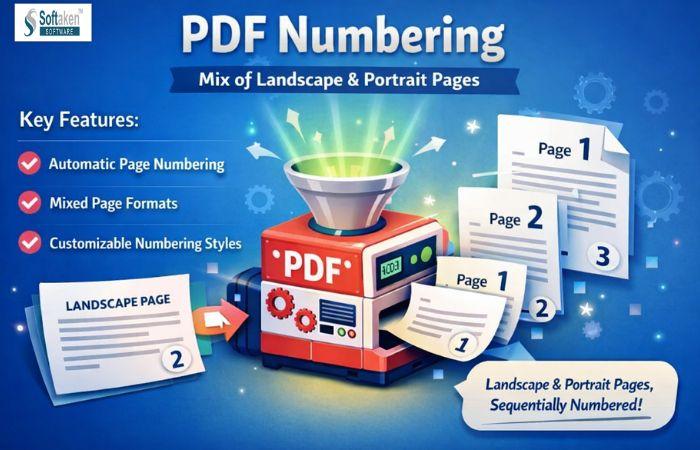
People often use PDF files to exchange information in a way that is safe and doesn't change. PDF files are widely used for business reports, study guides, and government records. A lot of these papers have both portrait and landscape pages. Pages in portrait mode look vertical, whereas pages in landscape mode look horizontal. This mix works well for charts, tables, and pictures that are wide. But it makes it hard to put page numbers. Page numbers that aren't in the right place could look uneven or hard to read. Properly numbered PDFs make documents easier to read and understand.
It takes care to add page numbers to PDFs that are mixed orientation. When done right, it makes things clearer and gives them a professional aspect. This blog talks about the common problems with manually numbering PDFs, how to fix them, and how the PDF Numbering application makes the job easy and dependable.
Why Mixed Page Orientation Causes Numbering Issues
When a PDF only has portrait pages, the page numbers stay the same. When you add landscape pages, things go wrong. The width and layout of each page are varied. This changes where the page numbers are.
Some such problems are
- Page numbers are moving away from the bottom
- Numbers are going in the wrong direction
- Text or images that cover each other
- Placement that isn't the same on all pages
These flaws are easier to see in long PDFs. Checking each page by hand takes more time and increases the likelihood of making mistakes. If a document is not numbered well, it might confuse readers and make it less useful.
Manual Method to Add Page Numbers to Mixed PDFs
You can manually number pages in a PDF file with conventional PDF editing tools. This strategy works best for short manuscripts with only a few pages. To begin, open the PDF in an editor that lets you change the header and footer. Then, the page numbers are chosen and added.
The layout of portrait pages is always the same, so they are usually the first ones to be worked on. You need to pay more attention to landscape pages. To stay visible, page numbers might need to be rotated and moved about. It is important to thoroughly read the whole manuscript again after making modifications. You should examine every page to make sure the numbers seem right.
This strategy lets you take control, but it takes time, patience, and a lot of tweaking. You can have to redo work even if you only tweak the arrangement a little bit.
Limitations of the Manual Method
There are a lot of problems with manually numbering PDFs, especially for jobs that happen often. When papers are bigger or alter their layout often, it gets harder.
The main problems are
- A process that takes a lot of time
- A high chance of mistakes in alignment
- Adjustments are made by hand over and over
- Not good for large files
Because of these constraints, a lot of people would rather use automated solutions that make things easier and more accurate.
Why Automated PDF Numbering Is a Better Choice
Automated tools are made to make the procedure easier. They automatically figure out how the site is laid out and put the numbers in the right places. This means that you don't have to make edits on each page.
Some of the main benefits of automation are
- Processing faster
- Numbering that stays the same
- Fewer mistakes
- Better at dealing with mixed layouts
Automated application are great for company reports, school projects, and professional publications when time and accuracy are important.
A Simple Solution for Accurate PDF Page Numbering
The Softaken PDF Numbering Software l makes it easy and accurate to add page numbers. It works with PDFs that have both portrait and landscape pages. The tool is all about keeping things simple and getting clean results. The UI is simple to use and understand. You don't need to know anything about technology to use it.
The software makes sure that page numbers don't get in the way of the original text. The layout of the document is still neat and easy to read. This makes it good for both personal document management and work in an office every day.
Key Features
The Software has helpful features that make numbering PDFs easy and dependable.
Key features are
- Works with both portrait and landscape pages
- Alignment that is right on all pages
- Options for placing numbers in a flexible way
- Font size that is easy to read
- Processing many PDFs at once
- Keeps the quality of the original file
These features help keep things the same, even in complicated texts.
How Software Handles Mixed Page Layouts
One of the best things about the Software is that it can figure out the alignment of a page on its own. The tool examines each page and numbers it based on how it looks. Landscape pages are lined up correctly without having to be rotated by hand. Portrait pages stay the same and balanced.
This automatic handling means you don't have to make changes over and over again. The finished product appears the same and professional on all pages.
Steps to Add Page Numbers Using the Software
- Start the PDF tool and choose or upload your PDF file.
- Go to the page numbers.

- Set the page number settings (starting number and page range).

- Pick the format and style you want (font, size, colour, and number format).

- Set the position and alignment (top/bottom, left/centre/right).

- If you need to, change the Advanced Options.

- Now Click the save pdf files

Advantages of Using PDF Numbering Utility
The tool makes things easier and faster. It gets rid of the need for manual corrections and lowers the chance of mistakes. The application works the same way for both tiny and large texts.
The main benefits are
- Quick processing
- Numbering that is clean and correct
- It's easy to work with mixed layouts.
- Good for both work and personal use
This makes it a good choice for everyday PDF work.
Who Can Benefit from This Tool
A lot of people can use this tool.
It is perfect for
- Teams in the office are getting reports ready
- Students doing their homework
- Accountants keep track of records
- People putting papers in order
You don't need any special skills. It is easy to use for anyone who works with PDFs.
Final Conclusion
Numbering PDF files is a crucial part of keeping documents organised. This job is harder because the pages are a mix of portrait and landscape. Manual approaches work, but they take time and attention. Mistakes can make documents less readable and of lower quality.
The Software is a simple and useful answer. It automatically handles mixed layouts and makes sure that the page numbers are clear. This application helps keep papers clean, structured, and professional for anyone who works with PDFs a lot.

 English
 Arabic
 French
 Spanish
 Portuguese
 Deutsch
 Dutch
Dutch
 Italiano
 Russian
 Romaian
 Portuguese (Brazil)
 Greek
Greek
