


PDF Protector: How to Prevent Copying and Printing in PDF Files
Introduction
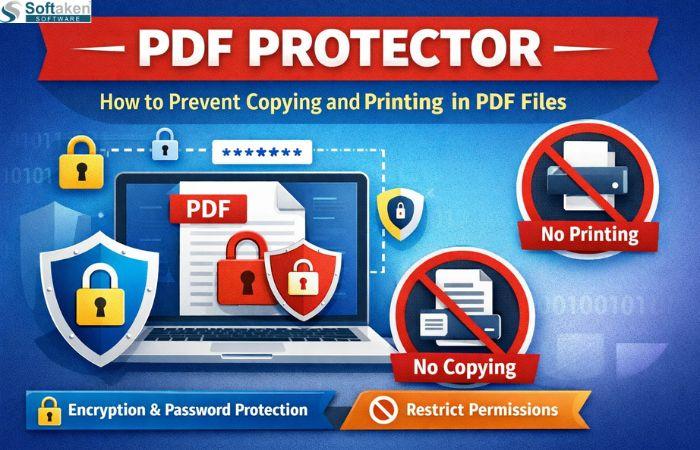
If you are worried about the privacy breaches, tampering, unauthorized access, misuse of your important information inside of your PDF which is quite common now days as once you share your PDF document with someone you can’t exactly tell who opened it or where your information is being used, so for the protection of the files you can choose to protector your PDF file by setting some restriction on them and If you're looking for ways to prevent these privacy breaches you are at the right page as in this article I will mention some popular ways to make your file encrypted, prevent copying, printing, and provide proper guide to run those process. So let’s get started!
Reasons for PDF Protections and Document Security
Here are some valid reasons why your PDF file needs protection and document security:
· Protecting your Privacy: Keeps your personal information private so that other people cannot access your PDF files, like personally identifiable information, resumes, or school diplomas. while you are sharing them online.
· Preventing others from Editing: Prevents anyone else from changing the contents of your documents and ensures that your work and any assignment end up being accurately represented to other people.
· Control of Access and Downloading: You get to determine who will be allowed access to your files, including teachers, customers, family members, and to password-protect others from downloading them yourselves.
· Preventing the Copying: Prevents people from copying or redistributing your creative work and allows you to license your ideas and products to generate additional revenue through online e-commerce.
· Legal Protection: Enables you to maintain the legal standards and requirements for businesses, educational institutions, governmental entities, etc., regarding transferring and other serving information that may contain sensitive data, such as invoices, business records, and contracts.
Two Ways to Protect PDF Files
As your PDF files are quite important and must contain some crucial content inside, which you can’t afford to lose, here are some methods that I have mentioned below, which can help you protect your files and offer security to them.
Free Manual Method
If you want to protect your PDF file without paying anything, the manual methods are great options as they are available on the web for free and anyone can access them without any trouble, but it does require some technical skill, a proper internet connection, and it depends on the size of the file and the speed of your internet connection.
Method 1. Protect a PDF with a Password with Adobe Acrobat
· Open your PDF in Adobe Acrobat
· Click on File in the top menu.
· Choose Protect>Encrypt>With Password.
· Enter a strong password you can use letters, numbers, or symbols, which you prefer.
· Confirm the password by typing it again.
· Save the PDF, and it’s done now. Anyone who wants to open the title must enter the password first.
Method 2. Restrict Editing or Printing
· Open your PDF file in Adobe Acrobat.
· Click File>Properties>Security.
· Under Security Method, select Password Security.
· Check the boxes for actions you want to restrict, like printing or editing.
· Set a password to enforce these restrictions.
· Click Ok and save your PDF.
Securely Protect your PDF File with PDF Protector
Softaken PDF Protector is an automated method that doesn’t require any technical knowledge or professional guidance, and it can securely handle your PDF documents without compromising the file's content. It can easily hold a bulk of files in one go, help you set security, reset security, restrict print, edit, and copy features, and works well with all versions of Windows while preserving your original file data. This tool doesn’t require any manual help as all process is done automatically. The best part is that it comes with a free trial, which you can try before investing in the full version. Below you can read some significant features of this tool.
Key Features of the Automated Tool
· Set Security Settings: With the help of this tool, you can secure your PDF file by setting strong passwords using symbols, numbers, and words to protect your file from unauthorized access.
· Reset Security Setting: In case of a security breach, by just following some simple 2-3 steps, you can reset your PDF file passwords with the help of this tool, without any technical knowledge, hassle-free.
· Restrict Edit: This tool can restrict the edit setting in your PDF file, and without unlocking the document, no one can make changes in the content of your PDF, which will help you preserve the authenticity of the content.
· Restrict Copy: if you have some legal content in your PDF file that should not be copied or shared without your consent, this tool can efficiently restrict the copying feature of your PDF document to maintain the privacy.
· Restrict to Print PDF: By using this tool, you can unable the printing feature of your PDF file, and without your permission or access to the file, no one can print the content of your shared PDF file.
· Modern GUI: this is a smart tool that comes with a self-explanatory and intuitive user interface that you can handle seamlessly without any technical guidance, and protect your PDF file efficiently.
Benefits of Using the Software
1) Time Saving: Instead of doing something manually and having to wait for it to be done, with automatic software, you can get instant results for the same repetitive action, allowing you to spend that same amount of time on something else that's more important.
2) Fewer Errors: Automatic software removes human error from your calculations, so you don't end up with incorrect invoices. This helps you produce a better result each time because you know that everything is being calculated properly.
3) More Productivity: By automating your repetitive tasks, you will have more time to work on other larger projects such as planning an event instead of spending all your time entering data into a database.
4) Simple User Guides: Most automatic software has straightforward instructions that allow users to set up automatic email reminders and notifications without having to remember to do so every time. This gives people a lot of flexibility in their daily lives.
FAQs
Q1. Which method is more appropriate for a beginner?
If you are a beginner with little to no knowledge about the manual methods, you should go for the automated tool, which is easy and simple to use.
Q2. Do I need to add the current password if I want to reset my password?
Yes, you do need to enter the password to add a new password for the setting reset for security purposes.
Final Thoughts
Securing your PDF files is essential to protecting your private information, preventing anyone from making edits, copying, or printing your document, and controlling who can view your files. While there are free options available for manually securing your documents but these methods are time-consuming, somewhat complicated, and may require an internet connection if your files are large. Unlike its automated solutions, it offers the same benefits of protecting your PDF file but with less time spent and fewer mistakes made. They also provide a more streamlined approach to protecting your PDF files and are easier to use due to their modern interface. If you are new to using PDF protections or want a simple method for protecting your PDF, using an automated software program is the best option for you, and a free trial version is available for you to try prior to purchasing the full version.
 Spanish
 English
 Arabic
 French
 Portuguese
 Deutsch
 Turkish
 Dutch
Dutch
 Italiano
 Russian
 Romaian
 Portuguese (Brazil)
 Greek
Greek
