


Common eCommerce Website Design Mistakes That Hurt Sales
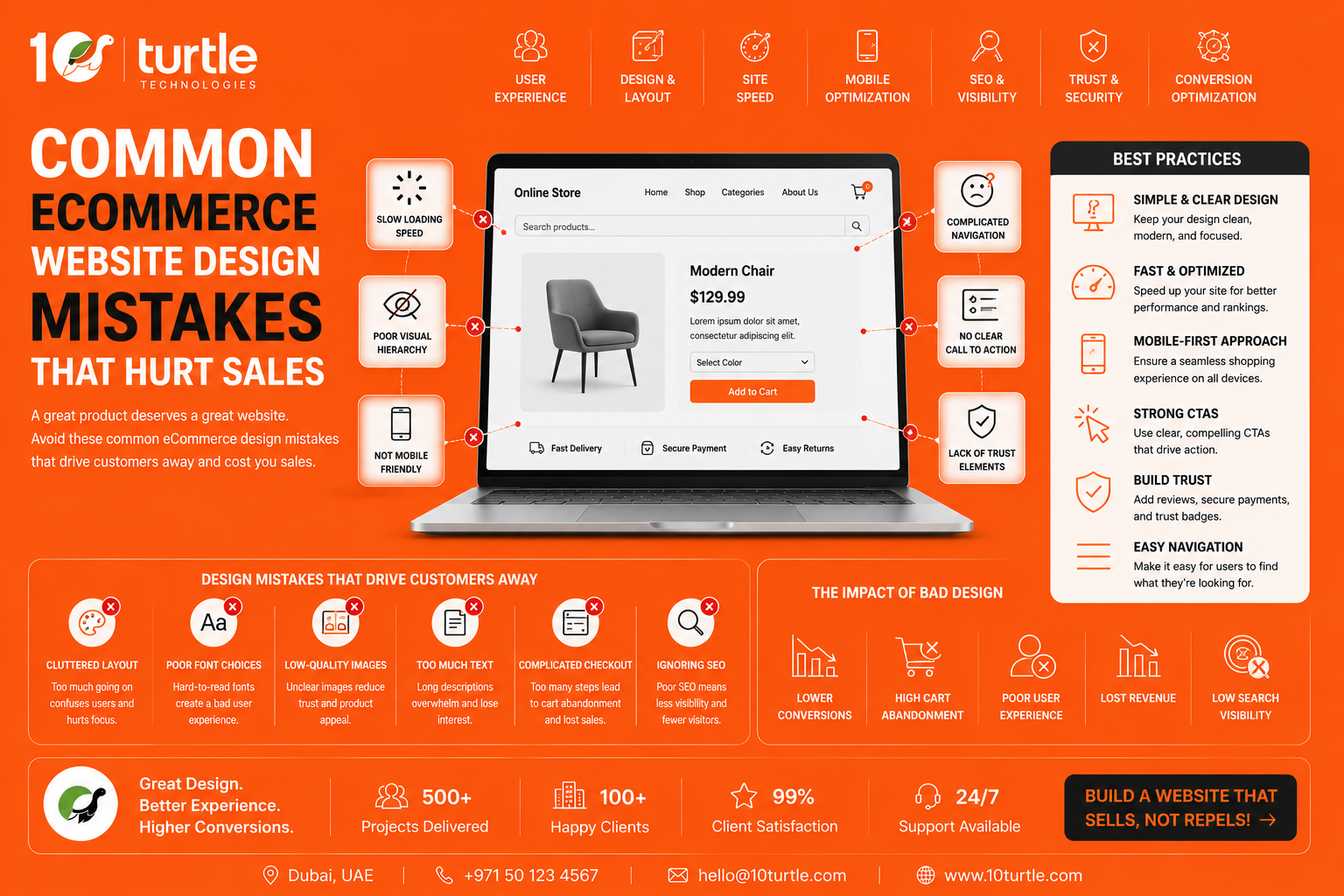
Running an eCommerce business in the USA is more competitive than ever. With thousands of online stores competing for customer attention, having great products alone isn't enough. Your website design directly influences whether visitors trust your brand, explore your products, and complete a purchase.
Many online retailers invest heavily in digital advertising but overlook website design issues that quietly reduce conversions. A confusing layout, slow-loading pages, poor mobile responsiveness, or a complicated checkout process can cause potential customers to abandon their carts within seconds.
Understanding the eCommerce website design services helps businesses improve customer experience, increase conversion rates, and build long-term customer loyalty. In this guide, we'll explore the biggest design errors, explain why they matter, and share practical solutions specifically relevant to businesses targeting the USA market.
Why Website Design Matters for eCommerce Success
Your website acts as your digital storefront. Unlike a physical store, online visitors can leave instantly if something feels confusing or untrustworthy.
According to various UX studies, users form their first impression of a website in just a few seconds. If navigation feels difficult or pages take too long to load, many shoppers simply visit a competitor instead.
A well-designed eCommerce website improves:
-
Customer trust
-
Product discoverability
-
Conversion rates
-
Mobile shopping experience
-
Average order value
-
Customer retention
Good design isn't about making a website look attractive—it's about making shopping simple.
1. Complicated Website Navigation
One of the biggest reasons customers leave an online store is confusing navigation.
Many eCommerce websites include too many menu items, unclear product categories, or inconsistent navigation structures.
Instead, customers should immediately understand:
-
Where products are located
-
How to search items
-
How to return to previous pages
-
Where their shopping cart is
Simple navigation reduces frustration and helps visitors find products faster.
2. Poor Mobile Experience
More than half of online shopping now happens on smartphones in the United States.
If your website isn't optimized for mobile users, you're likely losing valuable sales.
Common mobile design mistakes include:
-
Tiny buttons
-
Difficult checkout forms
-
Images that don't resize
-
Slow mobile loading speed
-
Pop-ups covering the screen
Responsive website design ensures customers enjoy the same shopping experience regardless of device.
3. Slow Website Loading Speed
Website speed has become one of the most important ranking and conversion factors.
Research consistently shows that even a one-second delay can significantly reduce conversions.
Common causes include:
-
Oversized product images
-
Excessive plugins
-
Unoptimized code
-
Too many animations
-
Poor hosting infrastructure
Fast websites improve both SEO performance and customer satisfaction.
4. Weak Product Pages
Many online stores spend time designing their homepage but ignore product pages.
Your product page should answer every question before a customer asks it.
Essential elements include:
-
High-quality images
-
Multiple viewing angles
-
Zoom functionality
-
Detailed product descriptions
-
Specifications
-
Customer reviews
-
Shipping information
-
Return policy
-
Stock availability
Incomplete product information creates uncertainty, reducing buyer confidence.
5. Poor Call-to-Action (CTA) Placement
Customers shouldn't have to search for the "Add to Cart" or "Buy Now" button.
Common CTA mistakes include:
-
Buttons blending into the background
-
Multiple competing CTAs
-
Unclear wording
-
Buttons placed too far down the page
Effective CTAs are visually distinct and easy to locate.
6. Overwhelming Homepage Design
Some businesses try to display everything at once.
Too many banners, animations, pop-ups, promotions, and product sliders overwhelm visitors.
Instead, your homepage should guide customers naturally toward:
-
Featured categories
-
Best-selling products
-
Seasonal promotions
-
New arrivals
-
Clear navigation
A clean layout improves user focus and shopping confidence.
7. Ignoring Website Trust Signals
Online shoppers want reassurance before sharing payment information.
Without trust signals, customers may hesitate to purchase.
Important trust-building elements include:
-
SSL security badges
-
Customer reviews
-
Verified payment methods
-
Easy return policy
-
Contact information
-
Business address
-
Live chat support
These elements are especially important for first-time buyers.
8. Difficult Checkout Process
A complicated checkout is one of the leading causes of cart abandonment.
Common checkout mistakes include:
-
Mandatory account creation
-
Too many form fields
-
Hidden shipping costs
-
Limited payment options
-
Confusing progress indicators
Instead, offer:
-
Guest checkout
-
Multiple payment methods
-
Auto-fill support
-
Simple order summary
-
Transparent pricing
Reducing friction often leads to higher conversions.
9. Poor Search Functionality
Many customers know exactly what they want.
If they cannot quickly find it using search, they'll likely leave.
An effective website search should include:
-
Auto-suggestions
-
Typo correction
-
Product filters
-
Category suggestions
-
Popular searches
Search optimization improves both user experience and revenue.
10. Low-Quality Images
Online shoppers cannot physically inspect products.
Images become their primary buying decision tool.
Best practices include:
-
High-resolution images
-
Multiple product views
-
Lifestyle photography
-
Zoom functionality
-
Consistent backgrounds
-
Product videos
Professional visuals increase customer confidence.
11. Inconsistent Branding
Your website should communicate a consistent brand identity throughout every page.
Inconsistent fonts, colors, button styles, and messaging create confusion.
Consistent branding improves:
-
Recognition
-
Professional appearance
-
Customer trust
-
Brand loyalty
12. Ignoring Accessibility
Accessibility isn't just good practice it helps serve a broader audience.
Features like readable fonts, keyboard navigation, proper color contrast, and descriptive image alt text make online shopping easier for everyone.
Accessible websites also support better SEO performance.
User Experience Directly Impacts Sales
Many businesses focus only on increasing website traffic.
However, traffic means very little if visitors don't convert into customers.
A customer-focused shopping experience encourages visitors to:
-
Browse longer
-
View more products
-
Add more items to the cart
-
Complete purchases
-
Return for future shopping
If you're looking to improve navigation, usability, and overall shopping experience, our User-Centered Ecommerce Website UI/UX Design Service for eCommerce Growth explains how thoughtful UX design can help increase customer satisfaction and boost conversions naturally.
Best Practices to Improve eCommerce Website Design
Instead of redesigning everything at once, focus on continuous improvements.
Regularly:
-
Test website speed
-
Review mobile usability
-
Analyze customer behavior
-
Improve product pages
-
Simplify checkout
-
Optimize navigation
-
Update trust elements
-
Conduct usability testing
Small improvements often create significant increases in conversion rates over time.
Conclusion
Even the best products won't generate sales if customers struggle to use your website. From confusing navigation and slow page speed to poor mobile experiences and complicated checkout processes, small design mistakes can quietly reduce revenue.
Businesses targeting the USA market should regularly evaluate their website from a customer's perspective. Improving usability, trust, accessibility, and performance creates a smoother shopping experience that encourages visitors to become loyal customers.
Rather than focusing only on attracting more traffic, invest in creating an eCommerce website that helps every visitor shop with confidence.
Frequently Asked Questions (FAQs)
What is the biggest eCommerce website design mistake?
The biggest mistake is creating a complicated shopping experience. Poor navigation, slow loading speed, and confusing checkout processes often lead to higher cart abandonment rates.
Does website design affect SEO?
Yes. A well-designed website improves page speed, mobile responsiveness, user engagement, accessibility, and overall user experience, all of which support better search engine rankings.
Why is mobile-friendly design important for online stores?
Most online shoppers now browse and purchase using smartphones. A responsive website improves usability, reduces bounce rates, and increases conversions across all devices.
How often should an eCommerce website be updated?
Businesses should review their website regularly and perform usability, design, and performance improvements every few months based on customer behavior and analytics.
Can improving website design increase sales?
Absolutely. Better navigation, faster loading pages, stronger trust signals, optimized product pages, and a simplified checkout process all contribute to higher conversion rates and improved customer satisfaction.

