


How Non-Technical Users Can Delete Duplicate Outlook Calendar Entries
Outlook Calendar is meant to simplify life—meetings, reminders, deadlines, and events all in one place. However, for many users, especially those without technical expertise, the calendar gradually becomes a mess. The same meeting appears twice. A birthday shows up three times. Reminders keep popping up for events that have already passed. If you feel that way, you are not alone. Duplicate Outlook calendar entries are a common problem, but the great news is you do not have to be a tech geek to solve that.
Here is a breakdown of simple ways to do this without stress.
Why Do Duplicate Calendar Entries Appear in Outlook?
Before deleting duplicates, it helps to understand why they appear. Usually, this problem happens unintentionally.
Some common reasons might include:
- Syncing Outlook on many devices (mobile, tablet, laptop)
- Importing calendars more than once
- Changing the email provider from Gmail to Outlook
- Restoring old PST backup files
- Using third-party sync tools
- Accepting the meeting invites several times
Since Outlook usually does not recognize whether there is already an event in the system, it simply creates a duplicate entry. Eventually, these duplicates accumulate and clutter your calendar.
Challenges Non-Technical Users Face
For the non-tech-savvy people, deleting those duplicate entries in the calendar can generally feel confusing because:
- Outlook does not have a 'Remove Duplicates' button.
- The duplicate entries can exist with slight differences, thus making them difficult to identify.
- It can be both very time-consuming and risky to delete them manually.
- Fear of deleting important meetings by mistake.
This is why many people tend to keep ignoring the problem until their calendars become totally unmanageable.
Manual Methods to Delete Duplicate Entries in an Outlook Calendar:
Manual cleanup will do just fine if you have only a few duplicates in your calendar. Here are some straightforward ways of doing things:
1. Switch to List View (Hidden but Helpful)
Most people never use this one, but it's very effective.
- Go to Calendar.
- Click on View → Change View → List.
- Field Sort Events by Subject, Start Date, or Location.
- From that perspective, one can easily identify duplicates and delete the excess share.
- Best for small calendars only.
2. Sort and Compare Events
You can also:
- Sort by Subject
- Look for repeated event names.
- Check the date and time.
- Delete obvious duplicates.
But it requires some patience and attention.
3. Use Categories to Track Deletions
For safety, you can:
- Assign a category "Check Later."
- Review duplicates before deleting
- Avoid accidental removal of valid meetings
Yet this activity becomes exhausting when it comes to larger calendars.
Why Do Manual Methods Often Fail?
Manual deletion sounds simple—but in real life, it isn’t.
Here’s why it doesn’t work well for most users:
- Hundreds or thousands of entries = hours of work
- High chance of human error
- Repeating meetings are tricky
- Old calendar data is hard to analyze
- Outlook performance slows down during manual cleanup
This is where most non-technical users give up.
A Smarter Way: Delete Duplicate Outlook Calendar Entries:
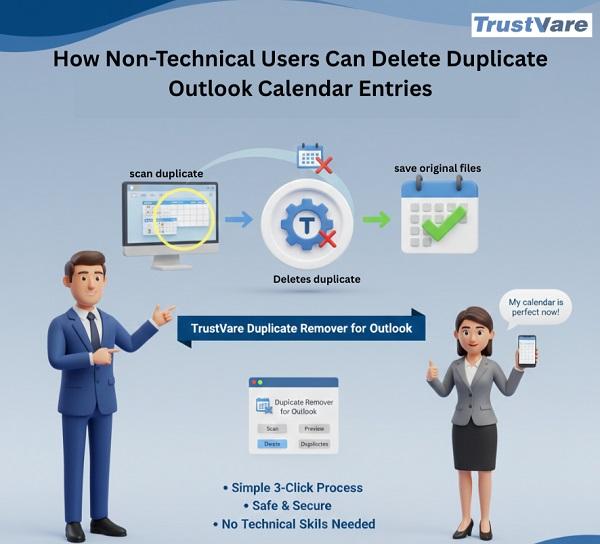
For users who want a safe and stress-free solution. To make this process easy for all non-technical users. The TrustVare Outlook Duplicate Removal Tool is a reliable choice for non-technical users. The software automatically finds duplicates in Outlook files like emails, contacts, calendar, notes, tasks, events, etc., and deletes them without losing original data. It will support all Windows OS versions like 11, 10, 8.1, 8, and 7 without downloading any application. It has a user-friendly interface for non-technical users and they can use it without technical skills. Try the free demo versions before purchasing this tool.
Why Use This Tool?
-
Smart Duplicate Detection
The tool quickly scans Outlook data and identifies duplicate calendar entries based on multiple attributes like subject, date, time, and location, ensuring accurate results.
-
Safe & Secure Removal Process
It only removes the duplicates from Outlook while keeping the original calendar entries completely safe.
-
User-Friendly Interface
Especially for non-techie users, the software is equipped with a simple user interface and requires no technical knowledge for operation.
-
Supports PST Files
The tool fully supports PST files, like ANSI and UNICODE formats.
-
Bulk Duplicate Removal
Users can remove many duplicates from Outlook calendar entries all at once, which is quite suitable for those with years of Outlook calendar data.
-
Preview Option Available
Before removing the duplicates, users can preview duplicates that Outlook found by the tool.
-
Fast & Efficient Performance
The software performs duplicate Outlook removal without changing the structure of the original data or causing any damage to Outlook performance.
-
Compatibility with All Outlook Versions
It is compatible with all versions of Microsoft Outlook to ensure easy functioning on different systems.
Why This Tool Works Well for Non-Technical Users?
- Simple interface – no complex settings
- Removes duplicate calendar entries safely
- Works with Outlook PST files
- Supports large mailboxes
- No risk of data loss
- Saves hours of manual work
When Should You Use a Tool Instead of Manual Cleanup?
If any of the following are true:
- You possess years' worth of data on your calendar.
- Duplicates occur after every sync.
- Manual cleanup appears overwhelming.
- You want to be 100% positive without any mistakes.
- Outlook has just become slow for you.
For most non-technical users, this is the most efficient and stress-free option.
Final Thoughts
Did you know duplicate entries in your Outlook calendar merely add clutter to your schedule? They waste time, create confusion, and set the stage for missed or repeated meetings. While manual methods work for very small calendars, they are impractical in the long run. A simple and effective solution is required for non-technical users. A trusted tool like the Outlook Duplicate Removal Tool allows users to clean their calendars with ease, without any long hours of frustration.

