


How to Eliminate Duplicate Emails from MBOX files?
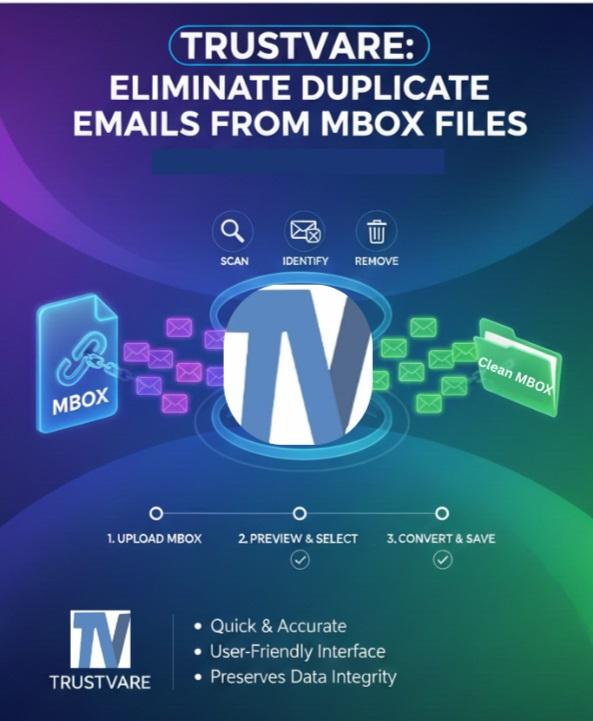
Duplicate emails in your MBOX mailbox increase clutter and use additional storage space. Duplicate emails can be removed from your MBOX mailbox with the help of a duplicate remover software. This blog explains an automated process that allows you to remove duplicate emails from MBOX files. Is a file format used to store emails with attachments in a single file and store emails in a text file. Many email clients, such as Mozilla Thunderbird, Apple Mail, Opera Mail, etc. support MBOX files.
Reasons for removing Duplicate Mails from MBOX
Storage Optimization: These duplicate emails in the MBOX mailbox take up precious storage space, which otherwise can be freed by deleting/removing these same emails.
Improved Searchability: Another benefit of removing duplicate emails from the MBOX mailbox is that it makes the whole search process easier for these emails.
Enhanced Performance: This ensures that the overall performance of the MBOX email client is increased by removing unnecessary duplicate emails collected in the MBOX file.
Manual Methods for Eliminating Duplicate Emails from MBOX Files
There are different manual ways, depending on the email client that you are using. These methods do not require any external software but are time-consuming and less accurate in the case of large MBOX files.
Method 1: Remove Duplicates Manually in Mozilla Thunderbird
For working on MBOX files, Thunderbird is one of the most favorite applications. This is how using Thunderbird you can clean up those duplicates:
Step 1: Install Thunderbird
If you don’t have Thunderbird installed, you will have to download it with its installation kit and further launch it.
Step 2: Import MBOX File
- You will need the ImportExportTools NG add-on:
- Tools > Add-ons & Themes
- ImportExportTools NG
- Install the add-on and restart Thunderbird
Next:
- Right-click on Local Folders
- Choose ImportExportTools NG > Import MBOX file
- Select your MBOX file
Step 3: Install the Delete Duplicate Messages Add-on by Thunderbird
- You can install another useful add-on:
- Go to Add-ons & Themes
- Search for Remove Duplicate Messages
- Install add-on
Step 4: Scan & Remove Duplicates
- Right-click the folder the MBOX file was imported to
- Choose Remove Duplicate Messages
- Thunderbird will now automatically identify duplicate emails based on sender, subject, date, and size.
- Have it deleted?
This method holds but has its restrictions: For larger MBOX files, Thunderbird may slow down, freeze or fail to process all duplicate emails.
Method 2: Manual Review and Removal
If you have a very small MBOX file, you might choose not to install add-ons for manually inspecting folders, sorting mail by subject, sender, or date, or deleting one by one. It is applicable only for a limited number of messages and not larger MBOX files due to time and is prone to errors.
Challenges for Manual Removal
- These methods are very time-consuming, as they take a long time to apply, even for larger mailboxes.
- High chance of human error
- Not to be fully accurate
- Performance issues with large MBOX files under Thunderbird
- Additional add-on install
Because of these limitations, most users would rather go for a simpler and more reliable automated method.
Smart Solution to Eliminate Duplicate Emails from MBOX Files
If you want a fast and hassle-free way to eliminate duplicate emails from MBOX files, using a specialized tool is the best choice. One of the most efficient solutions is TrustVare MBOX Duplicate Remover. This tool automatically scans MBOX files like email, attachments, etc, finds duplicate items and cleans them without affecting the original data. The software eliminates multiple duplicate MBOX files at once. It has a simple UI for non-technical users and they can use it. It supports all Windows OS versions like 11, 10, 8.1, 8, 7 without downloading any other software. Users can try the free demo versions before buying this tool.
Why Choose This Software?
- Accurate Duplicate Detection
Detects duplicates MBOX based on multiple criteria such as Subject, Date, To, From, and Content. - Removes Duplicates Without Data Loss
Ensures your original folder structure and email formatting remain intact. - Supports All MBOX Files
Works with MBOX files from Thunderbird, Apple Mail, SeaMonkey, Entourage, Eudora, and others. - Batch Processing
Allows you to remove duplicates from multiple MBOX files at once, saving time. - Secure and User-friendly
The interface is simple, and the software avoids modifying the original MBOX file unless you choose to overwrite it. - Generates Clean Output Files
After processing, you get a duplicate-free MBOX file ready for import into any email client.
How To Use It?
- Install this tool on your system.
- Click on Add File or Add Folder and browse your MBOX files.
- Choose Duplicate Removal Options like Date, Subject, Sender, etc.
- Choose the folder where you want to save the duplicate-free MBOX file.
- Click the "Remove Duplicates Mails", and create a fresh MBOX file.
Conclusion
In this blog post, we have stated the reasons and automated ways of removing duplicate emails from MBOX files. Removing duplicate emails from MBOX files is necessary for organizing the MBOX mailbox. The above automated technique presents a simple and efficient means of deleting duplicate emails from MBOX files.

