


How to Speed Up an Old Laptop Without Replacing It?
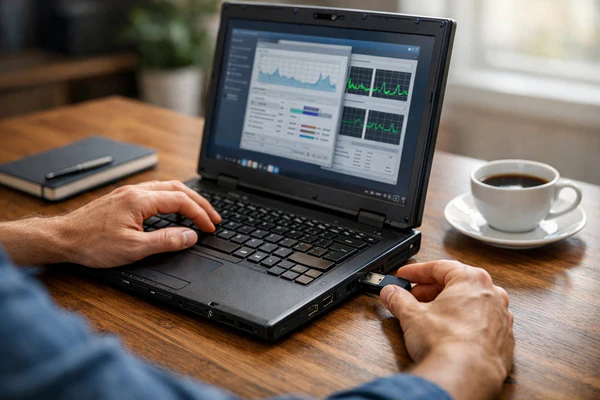
Geeks Callout says Many laptop users assume that a slow device automatically needs replacing. In reality, most laptops gradually lose performance because of software clutter, outdated settings, insufficient maintenance, and years of accumulated files. As programs become more demanding and storage fills up, the system has to work harder to complete everyday tasks. This often results in longer startup times, sluggish performance, and delayed responses. Before investing in a brand-new laptop, it is worth exploring several proven methods that can significantly improve speed and extend the life of your existing device.
Removing Unnecessary Programs and Applications
One of the easiest ways to improve laptop performance is by removing software that is no longer needed. Many devices contain applications that were installed years ago and are rarely used. These programs can consume storage space, system resources, and background processing power even when they are not actively being used. Reviewing installed applications and uninstalling unnecessary software helps free valuable resources. A cleaner operating system often performs more efficiently and responds faster to user commands.
Managing Startup Programs for Faster Boot Times
When a laptop starts, many programs automatically launch in the background. While some of these applications are necessary, many are not. Excessive startup programs can dramatically increase boot times and reduce overall performance. By reviewing startup settings and disabling non-essential applications, users can reduce the workload placed on the system during startup. This simple adjustment often results in noticeably faster boot times and a more responsive computing experience throughout the day.
Keeping the Operating System Updated
Software updates are not only important for security but also for performance. Operating system developers regularly release updates that improve stability, fix bugs, and optimize system efficiency. Running outdated software can lead to compatibility issues and reduced performance. Installing the latest updates ensures that the laptop benefits from performance improvements and security enhancements. Regular updates also help maintain compatibility with modern applications and online services.
Cleaning Up Storage Space
Storage capacity plays a major role in laptop performance. When a storage drive becomes nearly full, the operating system has less room to manage temporary files and background tasks efficiently. Deleting unnecessary files, removing duplicate data, and organizing documents can free valuable space. Cloud storage and external drives can also help reduce the burden on the internal drive. Maintaining adequate free space allows the laptop to operate more smoothly and reduces performance bottlenecks.
Scanning for Malware and Security Threats
Malware infections are a common cause of poor laptop performance. Malicious software often runs silently in the background, consuming memory, processing power, and internet bandwidth. Users may notice slower application loading times, frequent pop-ups, or unusual system behavior. Performing regular security scans can identify and remove threats before they cause serious damage. Maintaining strong antivirus protection helps ensure that system resources remain available for legitimate tasks rather than malicious activities.
Upgrading to a Solid-State Drive
One of the most effective upgrades for an older laptop is replacing a traditional hard disk drive with a solid-state drive. Traditional drives rely on moving mechanical parts, while solid-state drives use flash memory for significantly faster performance. This upgrade can dramatically reduce startup times, improve file access speeds, and enhance overall responsiveness. Many users are surprised by how much faster an older laptop feels after upgrading its storage technology.
Increasing Available Memory
Random Access Memory, commonly known as RAM, allows a laptop to handle multiple tasks simultaneously. Older laptops often struggle because they lack sufficient memory for modern applications and operating systems. Upgrading RAM can improve multitasking capabilities, reduce lag, and help applications run more smoothly. For users who frequently work with multiple browser tabs, productivity software, or media applications, additional memory can provide a noticeable performance boost without replacing the entire device.
Improving Cooling and Airflow
Heat is one of the biggest enemies of laptop performance. When a device becomes too hot, it may automatically reduce processing speed to protect internal components. Dust buildup inside cooling vents and fans can restrict airflow and increase temperatures. Regular cleaning helps maintain proper ventilation and cooling efficiency. Using a laptop on hard surfaces instead of soft materials also improves airflow. A cooler system generally performs better and experiences fewer hardware-related issues over time.
Optimizing Web Browsers and Online Activity
Web browsers are among the most frequently used applications on modern laptops. Over time, browsers can become cluttered with extensions, cached files, and unnecessary add-ons that slow performance. Removing unused extensions, clearing browsing data, and keeping the browser updated can improve speed significantly. Users who rely heavily on web-based applications often notice immediate benefits after optimizing their browser settings and reducing unnecessary background activity.
Performing Regular System Maintenance
Routine maintenance plays a critical role in keeping older laptops running efficiently. Tasks such as deleting temporary files, checking for software updates, scanning for security threats, and monitoring system health help prevent performance issues from developing. Consistent maintenance reduces the accumulation of problems that gradually slow down a device. Users who adopt a proactive maintenance routine often experience better reliability and longer device lifespans.
How Geeks Callout London Helps Improve Laptop Performance?
When basic optimization steps are not enough, professional assistance can make a significant difference. Geeks Callout London provides expert laptop diagnostics, performance optimization, hardware upgrades, and repair services. Their technicians identify the underlying causes of slow performance and recommend practical solutions tailored to each device. Whether a laptop needs additional memory, a storage upgrade, malware removal, or system optimization, Geeks Callout helps customers restore speed and improve overall reliability.
Professional Maintenance Can Extend Device Lifespan
Many laptops are replaced long before they reach the end of their useful life. Professional maintenance helps ensure devices continue operating efficiently for as long as possible. By addressing performance issues early, replacing worn components, and optimizing software settings, users can delay costly replacements and maximize the value of their technology investment. Geeks Callout London supports both home users and businesses by helping older laptops remain productive, reliable, and capable of meeting modern computing demands.

